
06b - CNN Review: Cats vs Dogs Classification#
This notebook provides a hands-on review of CNNs by tackling a classic binary classification problem: distinguishing cats from dogs. You will apply concepts from previous notebooks (CNN architecture, pooling, regularization, and transfer learning) through a series of progressive exercises.
By the end of this notebook, you will have trained multiple models with increasing complexity and compared their performance on a real-world dataset.
Table of Contents#
Setup and Dataset Loading#
We use the Cats vs Dogs dataset from TensorFlow Datasets, containing approximately 23,000 images of cats and dogs. This is a larger and more challenging dataset than the flowers dataset used previously.
import numpy as np
import tensorflow as tf
from tensorflow import keras
from tensorflow.keras import layers
import tensorflow_datasets as tfds
import matplotlib.pyplot as plt

# Set random seed for reproducibility
tf.random.set_seed(42)
np.random.seed(42)

# Fix for SSL certificate errors (common in some environments)
import ssl
ssl._create_default_https_context = ssl._create_unverified_context

%matplotlib inline
Loading the Dataset#
TensorFlow Datasets (tfds) provides a convenient way to load popular datasets. The cats_vs_dogs dataset contains labeled images of cats (0) and dogs (1).
# Load the cats_vs_dogs dataset
dataset, info = tfds.load('cats_vs_dogs', with_info=True, as_supervised=True)
dataset = dataset['train']

class_names = ['cat', 'dog']

# Count total images
total_images = tf.data.experimental.cardinality(dataset).numpy()
print(f'Total images: {total_images}')
print(f'Classes: {class_names}')
Total images: 23262
Classes: ['cat', 'dog']
Image Preprocessing#
The images in this dataset have varying sizes. We need to resize them to a consistent size for our CNN. We use 96×96 pixels for computational efficiency.
# Define image size and preprocessing function
IMAGE_SIZE = (96, 96)
INPUT_SHAPE = IMAGE_SIZE + (3,)  # 96x96x3 for RGB images

def preprocess_image(image, label):
    """Resize image to target size."""
    image = tf.image.resize(image, IMAGE_SIZE)
    return image, label

# Apply preprocessing to all images
dataset = dataset.map(preprocess_image)
Train/Validation/Test Split#
We split the dataset into training (75%), validation (10%), and test (15%) sets.
BATCH_SIZE = 32

# Calculate split sizes
train_size = int(0.75 * total_images)
val_size = int(0.10 * total_images)

# Split the dataset
train_ds = dataset.take(train_size)
remaining = dataset.skip(train_size)
val_ds = remaining.take(val_size)
test_ds = remaining.skip(val_size)

# Configure for performance: shuffle, batch, cache, prefetch
AUTOTUNE = tf.data.AUTOTUNE

train_ds = train_ds.shuffle(1000).batch(BATCH_SIZE).cache().prefetch(buffer_size=AUTOTUNE)
val_ds = val_ds.shuffle(1000).batch(BATCH_SIZE).cache().prefetch(buffer_size=AUTOTUNE)
test_ds = test_ds.batch(BATCH_SIZE).cache().prefetch(buffer_size=AUTOTUNE)

print(f'Training batches: {tf.data.experimental.cardinality(train_ds).numpy()}')
print(f'Validation batches: {tf.data.experimental.cardinality(val_ds).numpy()}')
print(f'Test batches: {tf.data.experimental.cardinality(test_ds).numpy()}')
Training batches: 546
Validation batches: 73
Test batches: 110
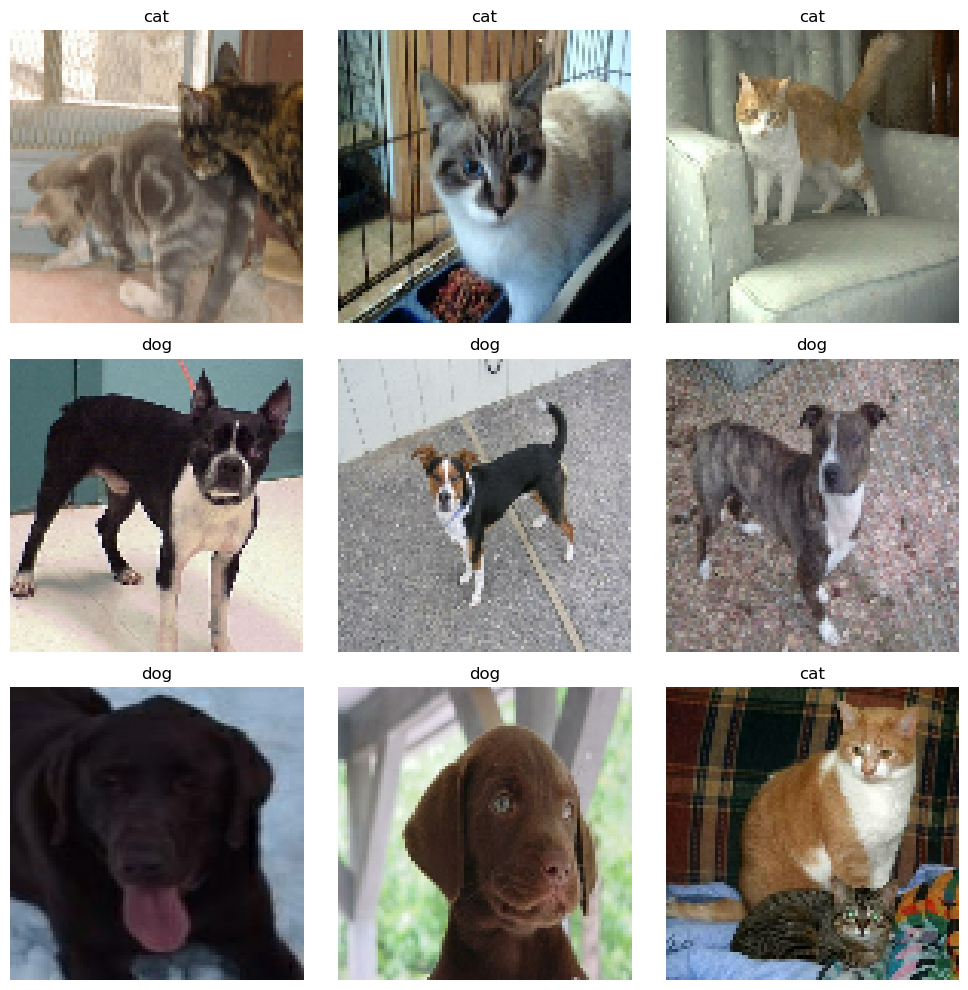
Visualizing Sample Images#
plt.figure(figsize=(10, 10))
for images, labels in train_ds.take(1):
    for i in range(9):
        ax = plt.subplot(3, 3, i + 1)
        plt.imshow(images[i].numpy().astype("uint8"))
        plt.title(class_names[labels[i]])
        plt.axis("off")
plt.tight_layout()
plt.show()
Exploring the tf.data API#
The tf.data.Dataset API is TensorFlow’s recommended way to create efficient input pipelines. It provides methods to load, transform, and batch data efficiently.
Key Operations#
shuffle(buffer_size): Randomly shuffles elements using a bufferbatch(batch_size): Combines consecutive elements into batchesmap(function): Applies a transformation to each elementcache(): Caches elements in memory after the first epochprefetch(buffer_size): Prepares next batches while current batch is being processed
# Quick demonstration of tf.data operations
demo_data = tf.data.Dataset.from_tensor_slices([1, 2, 3, 4, 5, 6, 7, 8])

# Shuffle with buffer_size=3
print("Original data:", list(demo_data.as_numpy_iterator()))

# Batch into groups of 2
batched = demo_data.batch(2)
print("\nBatched (size=2):")
for batch in batched:
    print(f"  {batch.numpy()}")
Original data: [1, 2, 3, 4, 5, 6, 7, 8]

Batched (size=2):
  [1 2]
  [3 4]
  [5 6]
  [7 8]
Helper Functions#
Let’s define some utility functions we’ll use throughout the exercises.
def plot_training_history(history, title='Training History'):
    """Plot training and validation metrics."""
    fig, (ax1, ax2) = plt.subplots(1, 2, figsize=(14, 5))

    # Loss plot
    ax1.plot(history.history['loss'], label='Train Loss', marker='o')
    ax1.plot(history.history['val_loss'], label='Val Loss', marker='s')
    ax1.set_xlabel('Epoch')
    ax1.set_ylabel('Loss')
    ax1.set_title(f'{title} - Loss')
    ax1.legend()
    ax1.grid(True, alpha=0.3)

    # Accuracy plot
    ax2.plot(history.history['accuracy'], label='Train Accuracy', marker='o')
    ax2.plot(history.history['val_accuracy'], label='Val Accuracy', marker='s')
    ax2.set_xlabel('Epoch')
    ax2.set_ylabel('Accuracy')
    ax2.set_title(f'{title} - Accuracy')
    ax2.legend()
    ax2.grid(True, alpha=0.3)

    plt.tight_layout()
    plt.show()


def show_errors(dataset, model, class_names, n_images=6):
    """Display misclassified images."""
    n_plots = 0
    plt.figure(figsize=(15, 5))

    for images, labels in dataset:
        predictions = model.predict(images, verbose=0)
        predicted_labels = (predictions >= 0.5).astype(np.int32).flatten()

        # Find misclassified images
        wrong_indices = np.where(predicted_labels != labels.numpy())[0]

        for idx in wrong_indices:
            if n_plots >= n_images:
                plt.tight_layout()
                plt.show()
                return

            ax = plt.subplot(1, n_images, n_plots + 1)
            plt.imshow(images[idx].numpy().astype("uint8"))
            true_class = class_names[labels[idx].numpy()]
            pred_class = class_names[predicted_labels[idx]]
            prob = predictions[idx][0]
            plt.title(f'True: {true_class}\nPred: {pred_class} ({prob:.2f})', color='red')
            plt.axis('off')
            n_plots += 1

    plt.tight_layout()
    plt.show()
Exercise 1: Basic CNN without Pooling#
Build a simple CNN with two convolutional layers but no pooling and no regularization. This serves as a baseline to understand the importance of pooling layers.
Architecture Requirements#
Input layer: 96×96×3
Rescaling layer: normalize pixels to [0, 1]
Conv2D: 32 filters, 3×3 kernel, ReLU activation, ‘same’ padding
Conv2D: 64 filters, 3×3 kernel, ReLU activation, ‘same’ padding
Flatten
Dense: 64 units, ReLU activation
Output Dense: 1 unit, sigmoid activation (binary classification)
Hints#
Use
keras.Input(shape=INPUT_SHAPE)for the input layerUse
layers.Rescaling(1./255)to normalize pixel valuesFor binary classification, use
BinaryCrossentropy()loss and sigmoid outputThe model will have many parameters due to no pooling
# TODO: Build a CNN with two Conv2D layers, no pooling

# inputs = keras.Input(shape=INPUT_SHAPE, name='input')

# Rescaling
# x = layers.Rescaling(...)(inputs)

# Conv Layer 1 (no pooling)
# x = layers.Conv2D(...)(x)

# Conv Layer 2 (no pooling)
# x = layers.Conv2D(...)(x)

# Classification head
# x = layers.Flatten()(x)
# x = layers.Dense(...)(x)
# outputs = layers.Dense(1, activation='sigmoid')(x)

# model_1 = keras.Model(inputs=inputs, outputs=outputs, name='cnn_no_pooling')
# TODO: Display model summary
# model_1.summary()
# TODO: Compile and train the model

# model_1.compile(
#     optimizer='adam',
#     loss=tf.keras.losses.BinaryCrossentropy(),
#     metrics=['accuracy']
# )

# Use EarlyStopping to prevent overfitting
# early_stopping = tf.keras.callbacks.EarlyStopping(
#     monitor='val_loss',
#     patience=2,
#     restore_best_weights=True
# )

# history_1 = model_1.fit(
#     train_ds,
#     validation_data=val_ds,
#     epochs=8,
#     callbacks=[early_stopping]
# )
# TODO: Evaluate on test set
# results_1 = model_1.evaluate(test_ds, verbose=1)
# print(f'\nTest Loss: {results_1[0]:.4f}')
# print(f'Test Accuracy: {results_1[1]:.4f}')
# TODO: Plot training history
# plot_training_history(history_1, 'Model 1: No Pooling')
# TODO: Show some misclassified examples
# show_errors(test_ds, model_1, class_names)
Observations#
Without pooling layers:
The model has many parameters (large Flatten → Dense connection)
Training is slower and the model may struggle to generalize
Feature maps maintain the original spatial dimensions
Exercise 2: Adding Pooling Layers#
Improve the previous model by adding MaxPooling2D layers after each convolution. This reduces spatial dimensions and the number of parameters.
Architecture Requirements#
Input layer: 96×96×3
Rescaling layer
Conv2D (32 filters) + MaxPooling2D(2×2)
Conv2D (64 filters) + MaxPooling2D(2×2)
Flatten
Dense (64 units)
Output Dense (1 unit, sigmoid)
Hints#
Use
layers.MaxPooling2D(pool_size=(2, 2))after each Conv2DPooling reduces dimensions: 96 → 48 → 24
Compare the number of parameters with Model 1
# TODO: Build a CNN with pooling after each Conv2D

# inputs = keras.Input(shape=INPUT_SHAPE, name='input')

# Rescaling
# x = layers.Rescaling(...)(inputs)

# Conv Layer 1 + Pooling
# x = layers.Conv2D(...)(x)
# x = layers.MaxPooling2D(pool_size=(2, 2))(x)

# Conv Layer 2 + Pooling
# x = layers.Conv2D(...)(x)
# x = layers.MaxPooling2D(pool_size=(2, 2))(x)

# Classification head
# x = layers.Flatten()(x)
# x = layers.Dense(...)(x)
# outputs = layers.Dense(1, activation='sigmoid')(x)

# model_2 = keras.Model(inputs=inputs, outputs=outputs, name='cnn_with_pooling')
# TODO: Display model summary and compare with model_1
# model_2.summary()
# TODO: Compile and train

# model_2.compile(
#     optimizer='adam',
#     loss=tf.keras.losses.BinaryCrossentropy(),
#     metrics=['accuracy']
# )

# early_stopping = tf.keras.callbacks.EarlyStopping(
#     monitor='val_loss',
#     patience=2,
#     restore_best_weights=True
# )

# history_2 = model_2.fit(
#     train_ds,
#     validation_data=val_ds,
#     epochs=8,
#     callbacks=[early_stopping]
# )
# TODO: Evaluate on test set
# results_2 = model_2.evaluate(test_ds, verbose=1)
# print(f'\nTest Loss: {results_2[0]:.4f}')
# print(f'Test Accuracy: {results_2[1]:.4f}')
# TODO: Plot training history
# plot_training_history(history_2, 'Model 2: With Pooling')
# TODO: Show some misclassified examples
# show_errors(test_ds, model_2, class_names)
Observations#
With pooling layers:
Fewer parameters than Model 1 (smaller Flatten output)
Better generalization due to reduced model complexity
Spatial dimension reduction: 96 → 48 → 24
Exercise 3: Regularization and Data Augmentation#
Improve the model further by adding regularization (Dropout) and data augmentation. Your goal is to achieve Test Accuracy > 0.80.
Architecture Requirements#
Data augmentation (RandomFlip, RandomRotation)
At least 3 Conv2D + MaxPooling blocks
Dropout layers for regularization
Dense layers for classification
Hints#
Use
layers.RandomFlip('horizontal')andlayers.RandomRotation(0.2)for augmentationApply data augmentation at the beginning of the model
Add
layers.Dropout(0.3)orlayers.Dropout(0.5)after Dense layersConsider adding more convolutional layers with increasing filters (32 → 64 → 128)
You may need more epochs (10-15) for this model
# Data augmentation layers - applied only during training
data_augmentation = keras.Sequential([
    layers.RandomFlip('horizontal'),
    layers.RandomRotation(0.2),
], name='data_augmentation')
# TODO: Build a deeper CNN with augmentation and dropout

# inputs = keras.Input(shape=INPUT_SHAPE, name='input')

# Data augmentation (only active during training)
# x = data_augmentation(inputs)

# Rescaling
# x = layers.Rescaling(1./255)(x)

# Conv Block 1
# x = layers.Conv2D(32, 3, padding='same', activation='relu')(x)
# x = layers.MaxPooling2D((2, 2))(x)

# Conv Block 2
# x = layers.Conv2D(...)(x)
# x = layers.MaxPooling2D((2, 2))(x)

# Conv Block 3
# x = layers.Conv2D(...)(x)
# x = layers.MaxPooling2D((2, 2))(x)

# Classification head with Dropout
# x = layers.Flatten()(x)
# x = layers.Dense(...)(x)
# x = layers.Dropout(...)(x)
# outputs = layers.Dense(1, activation='sigmoid')(x)

# model_3 = keras.Model(inputs=inputs, outputs=outputs, name='cnn_with_regularization')
# TODO: Display model summary
# model_3.summary()
# TODO: Compile and train

# model_3.compile(
#     optimizer='adam',
#     loss=tf.keras.losses.BinaryCrossentropy(),
#     metrics=['accuracy']
# )

# early_stopping = tf.keras.callbacks.EarlyStopping(
#     monitor='val_loss',
#     patience=3,
#     restore_best_weights=True
# )

# history_3 = model_3.fit(
#     train_ds,
#     validation_data=val_ds,
#     epochs=15,
#     callbacks=[early_stopping]
# )
# TODO: Evaluate on test set - aim for > 0.80 accuracy
# results_3 = model_3.evaluate(test_ds, verbose=1)
# print(f'\nTest Loss: {results_3[0]:.4f}')
# print(f'Test Accuracy: {results_3[1]:.4f}')
# print(f'\nTarget achieved: {results_3[1] > 0.80}')
# TODO: Plot training history
# plot_training_history(history_3, 'Model 3: With Regularization')
# TODO: Show some misclassified examples
# show_errors(test_ds, model_3, class_names)
Observations#
With regularization and augmentation:
Reduced overfitting: Smaller gap between train and validation accuracy
Better generalization: Model sees augmented variations of each image
Training may take longer but produces more robust models
Exercise 4: Transfer Learning#
Apply transfer learning using a pre-trained MobileNetV2 backbone. This should achieve the best performance with the least training time.
Architecture Requirements#
Load MobileNetV2 with
include_top=Falseandweights='imagenet'Freeze the backbone (
trainable=False)Use the model’s preprocessing function
Add GlobalAveragePooling2D and classification head
Hints#
Use
tf.keras.applications.MobileNetV2for the backboneUse
tf.keras.applications.mobilenet_v2.preprocess_inputfor preprocessingSet
base_model.trainable = Falseto freeze weightsUse
GlobalAveragePooling2Dinstead ofFlattenfor efficiency
# TODO: Load pre-trained MobileNetV2 (without top layer)

# base_model = tf.keras.applications.MobileNetV2(
#     input_shape=INPUT_SHAPE,
#     include_top=False,
#     weights='imagenet'
# )

# Freeze the backbone
# base_model.trainable = ...

# Get the preprocessing function
# preprocess_input = tf.keras.applications.mobilenet_v2.preprocess_input
# TODO: Build transfer learning model

# inputs = keras.Input(shape=INPUT_SHAPE, name='input')

# Preprocessing for MobileNetV2
# x = preprocess_input(inputs)

# Pre-trained backbone (frozen)
# x = base_model(x, training=False)

# Classification head
# x = layers.GlobalAveragePooling2D()(x)
# x = layers.Dropout(0.5)(x)
# outputs = layers.Dense(1, activation='sigmoid')(x)

# model_tl = keras.Model(inputs=inputs, outputs=outputs, name='transfer_learning')
# TODO: Display model summary
# model_tl.summary()
# TODO: Compile and train (only need a few epochs)

# model_tl.compile(
#     optimizer='adam',
#     loss=tf.keras.losses.BinaryCrossentropy(),
#     metrics=['accuracy']
# )

# early_stopping = tf.keras.callbacks.EarlyStopping(
#     monitor='val_loss',
#     patience=2,
#     restore_best_weights=True
# )

# history_tl = model_tl.fit(
#     train_ds,
#     validation_data=val_ds,
#     epochs=5,
#     callbacks=[early_stopping]
# )
# TODO: Evaluate on test set
# results_tl = model_tl.evaluate(test_ds, verbose=1)
# print(f'\nTest Loss: {results_tl[0]:.4f}')
# print(f'Test Accuracy: {results_tl[1]:.4f}')
# TODO: Plot training history
# plot_training_history(history_tl, 'Model TL: Transfer Learning')
# TODO: Show some misclassified examples
# show_errors(test_ds, model_tl, class_names)
Observations#
With transfer learning:
Best accuracy with the least training time
Pre-trained features from ImageNet transfer well to cats vs dogs
Very few trainable parameters (only the classification head)
Model Comparison#
After completing all exercises, compare the performance of all models.
# TODO: Uncomment after completing all exercises

# print("=" * 60)
# print("MODEL COMPARISON")
# print("=" * 60)
# print(f"Model 1 (No Pooling):        Test Accuracy = {results_1[1]:.4f}")
# print(f"Model 2 (With Pooling):      Test Accuracy = {results_2[1]:.4f}")
# print(f"Model 3 (Regularization):    Test Accuracy = {results_3[1]:.4f}")
# print(f"Model TL (Transfer Learning): Test Accuracy = {results_tl[1]:.4f}")
# print("=" * 60)
#
# # Find best model
# accuracies = {
#     'No Pooling': results_1[1],
#     'With Pooling': results_2[1],
#     'Regularization': results_3[1],
#     'Transfer Learning': results_tl[1]
# }
# best_model = max(accuracies, key=accuracies.get)
# print(f"\nBest performing model: {best_model}")
Testing Generalization#
Test how well your models generalize to new images. This section loads images from URLs and tests all models on them.
def predict_and_plot(image_path, models, model_names, class_names, image_size):
    """Load an image and predict with multiple models."""
    # Load and preprocess image
    image = tf.keras.preprocessing.image.load_img(image_path, target_size=image_size)
    image_array = tf.keras.preprocessing.image.img_to_array(image).astype(np.uint8)

    # Display image
    plt.figure(figsize=(6, 6))
    plt.imshow(image_array)
    plt.axis('off')
    plt.title('Test Image')
    plt.show()

    # Make predictions with each model
    print("\nPredictions:")
    print("-" * 50)

    for model, name in zip(models, model_names):
        # Expand dimensions for batch
        input_array = np.expand_dims(image_array, 0)

        # Predict
        prob = model.predict(input_array, verbose=0)[0][0]
        pred_class = class_names[int(prob >= 0.5)]

        print(f"{name}: {pred_class} (confidence: {prob:.2f})")
# TODO: Uncomment after completing all exercises to test generalization

# # Test image 1: A dog
# url_1 = 'https://upload.wikimedia.org/wikipedia/commons/thumb/2/26/YellowLabradorLooking_new.jpg/1200px-YellowLabradorLooking_new.jpg'
# image_path_1 = tf.keras.utils.get_file('test_dog.jpg', url_1)

# models = [model_1, model_2, model_3, model_tl]
# model_names = ['No Pooling', 'With Pooling', 'Regularization', 'Transfer Learning']

# predict_and_plot(image_path_1, models, model_names, class_names, IMAGE_SIZE)
# TODO: Uncomment to test with a cat image

# # Test image 2: A cat
# url_2 = 'https://upload.wikimedia.org/wikipedia/commons/thumb/3/3a/Cat03.jpg/1200px-Cat03.jpg'
# image_path_2 = tf.keras.utils.get_file('test_cat.jpg', url_2)

# predict_and_plot(image_path_2, models, model_names, class_names, IMAGE_SIZE)
Recap#
Dataset and Preprocessing:
The
tf.data.DatasetAPI provides efficient data loading withshuffle,batch,cache, andprefetchImages must be resized to consistent dimensions for CNN input
Train/validation/test splits help evaluate model generalization
CNN Architecture Evolution:
Without pooling: Too many parameters, poor generalization
With pooling: Reduced parameters, better performance
With regularization: Dropout and data augmentation reduce overfitting
Transfer learning: Best results with least training time
Key Techniques:
MaxPooling2D: Reduces spatial dimensions while preserving important features
Data augmentation: Creates variations of training images (flips, rotations)
Dropout: Randomly disables neurons during training to prevent overfitting
EarlyStopping: Stops training when validation loss stops improving
Transfer Learning:
Pre-trained models (MobileNetV2) provide excellent features for new tasks
Freeze the backbone, train only the classification head
Use the model’s specific preprocessing function
Achieves high accuracy with minimal training