
02 - What is an Image?#
Before working with Computer Vision tools and models, we need to understand what a digital image actually is. At its core, an image is simply a grid of numbers that a computer can process and manipulate.
In this notebook, we’ll explore the fundamental concepts:
What pixels are and how they form images
How computers represent grayscale and color information
Bit depth and data types
The RGB color model and channel representation
Contents#
1. Images as Arrays of Pixels#
What is a pixel?#
A pixel (short for “picture element”) is the smallest unit of a digital image. Each pixel has:
A position in the image grid (row and column coordinates)
A value (or set of values) representing its brightness or color
Grayscale images#
A grayscale image is a 2D array where each pixel is represented by a single number indicating brightness:
0 typically represents black (no light)
255 typically represents white (maximum brightness)
Values in between represent shades of gray
If an image has a height of 480 pixels and a width of 640 pixels, we say it is a 480 × 640 image, and it contains 307,200 pixels in total.
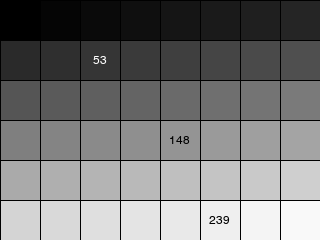
A grayscale image shown with a visible pixel grid. Each square is one pixel with a brightness value from 0 to 255.
Color images#
A color image extends this concept by storing multiple values per pixel. The most common representation uses three values (Red, Green, Blue), making the image a 3D array with shape (height, width, 3).
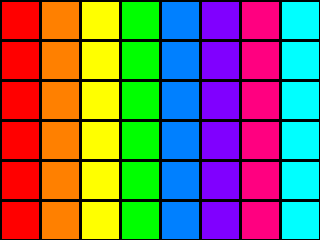
A color image with a visible pixel grid. Each pixel contains three color values (R, G, B).
2. Bit Depth and Data Types#
What is bit depth?#
Bit depth determines how many distinct values each pixel (or color channel) can have:
1-bit: Only 2 values (black or white)
4-bit: 16 possible values (limited grayscale)
8-bit: 256 possible values (standard for most images)
16-bit: 65,536 values (used in medical imaging, RAW photos, etc.)
Higher bit depth means more gradations between black and white, resulting in smoother transitions and more detail.
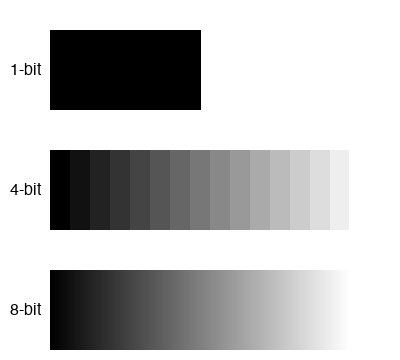
The same gradient rendered at different bit depths. 1-bit shows only black and white, while 8-bit shows smooth transitions.
Common data types#
Images are typically stored using specific data types:
uint8(unsigned 8-bit integer): The most common format. Values range from 0 to 255. Efficient in memory and sufficient for most display purposes.float32(32-bit floating point): Often used in machine learning pipelines. Values are typically normalized to the range[0.0, 1.0]or[-1.0, 1.0].uint16: Used for high-bit-depth images in scientific or medical imaging.
When working with image processing libraries, be aware of the data type. Operations that work on
uint8may behave differently onfloat32arrays.
3. Color Images and RGB Representation#
The RGB color model#
Most digital color images use the RGB color model, which represents colors by mixing three primary colors:
R (Red)
G (Green)
B (Blue)
Each color channel is essentially a grayscale image. By combining the intensity of these three channels, we can represent millions of different colors:
An 8-bit RGB image has 256 × 256 × 256 = 16,777,216 possible colors.
Shape and channel order#
In most Python libraries (NumPy, Pillow, OpenCV), a color image is represented as a 3D array with shape:
(height, width, channels)
For example, a 480 × 640 RGB image has shape (480, 640, 3).
Important note on channel order:
Most libraries use RGB order (Red, Green, Blue)
OpenCV uses BGR order (Blue, Green, Red) by default
Always check the documentation or convert between formats when needed.
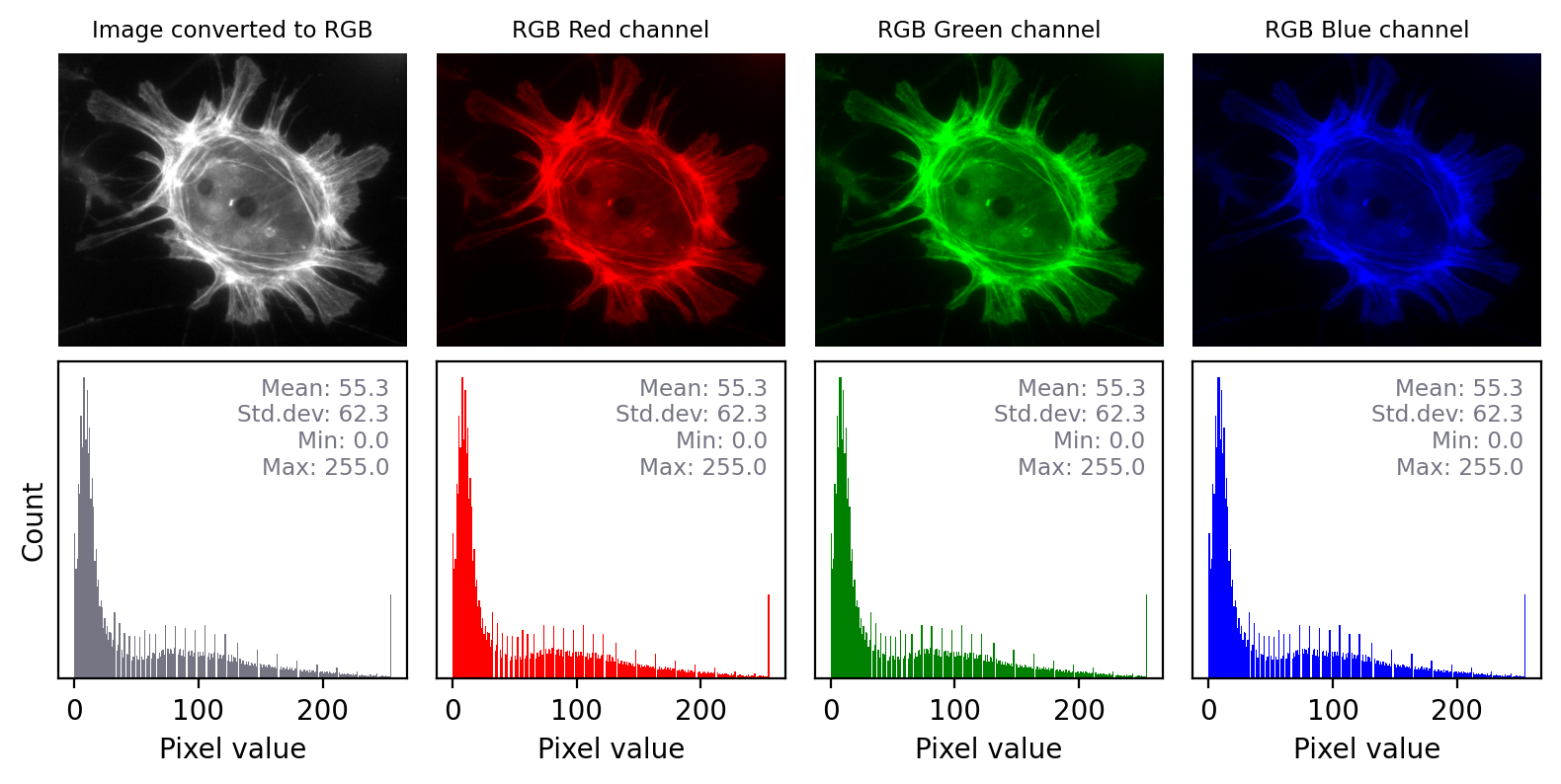
An RGB image split into its three color channels. Each channel is displayed as a grayscale image showing the intensity of that color.
Interpreting RGB channels#
Looking at the image above:
The red channel is bright in areas where the original image contains red tones.
The green channel is bright in areas with green tones.
The blue channel is bright in areas with blue tones.
By combining these three grayscale intensity maps, the display reconstructs the full-color image.
4. Summary#
In this notebook, we covered the fundamental concepts of digital images:
Pixels are the building blocks of images, each with a position and value(s).
Grayscale images are 2D arrays with one value per pixel (0 = black, 255 = white for 8-bit).
Color images are 3D arrays with three values per pixel, typically in RGB format.
Bit depth determines how many distinct values each pixel can have. 8-bit (256 levels) is most common.
Data types like
uint8(values 0–255) andfloat32(values 0.0–1.0) are used to store image data.RGB images combine three grayscale channels (Red, Green, Blue) to represent millions of colors.
Understanding images as numerical arrays is essential for working with image processing libraries and Computer Vision models. In the following notebooks, we’ll use these concepts to load, manipulate, and analyze real images.